 9983511136
|
||
|---|---|---|
| .devcontainer | ||
| .vscode | ||
| auth | ||
| readme | ||
| spejstore | ||
| static | ||
| storage | ||
| templates | ||
| .dockerignore | ||
| .env.example | ||
| .gitignore | ||
| Dockerfile | ||
| README.md | ||
| docker-compose.yml | ||
| manage.py | ||
| requirements.txt | ||
| spejstore-dev.env | ||
README.md
spejstore (AKA inventory)
The general HSWAW (and other polish hackerspaces) inventory system.
Because there is not enough general inventory software invented here yet.
Usage
Quick start (VSCode)
- Copy
.env.exampleas.env - Have
docker compose2.0. You can identify it by havingdocker composecommand instead ofdocker-compose. - Customize your
.envfor your specific usecase.
VSCode
- Setup environment variables
- Get VSCode from here, CAN NOT be VSCodium, as the extension is a microsoft binary which does not work with VSCodium.
- Install Dev Containers extension
- Clone the repository and open it with VSCode.
- You should get a toast like this when re-opening directory with the cloned repository.
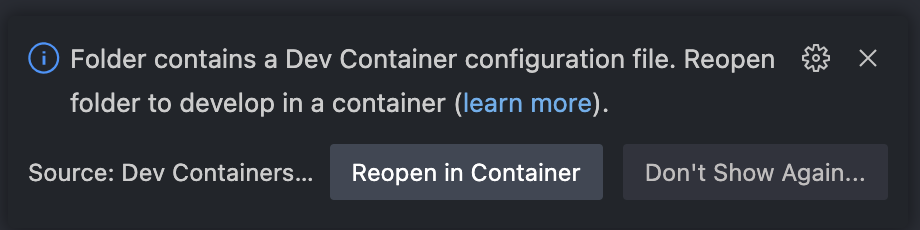
- If you don't get a toast, then use (CMD|Ctrl)+Shift+P to open actions menu and choose option Rebuild Without Cache and Reopen in Container.

- If you don't get a toast, then use (CMD|Ctrl)+Shift+P to open actions menu and choose option Rebuild Without Cache and Reopen in Container.
- Reopen the directory in container either via command or popup button.
- Wait for the application and container to properly build.
- Devcontainer's VSCode instance will be automatically configured with extensions to help your development process.
- You might get a Toast telling you to re-open the directory due to Black not working properly. Do so for proper autoformatting support.
- Make sure that extensions were installed in your vscode devcontainer. It might take a couple of minutes.
manage.py migratewill be run automatically after container creation, to make sure you have the latest migrations done on the development database without any need for interaction.- Run debug session with either command of "Start Debugging" (default hotkey F5), or with the Debug sidebar.
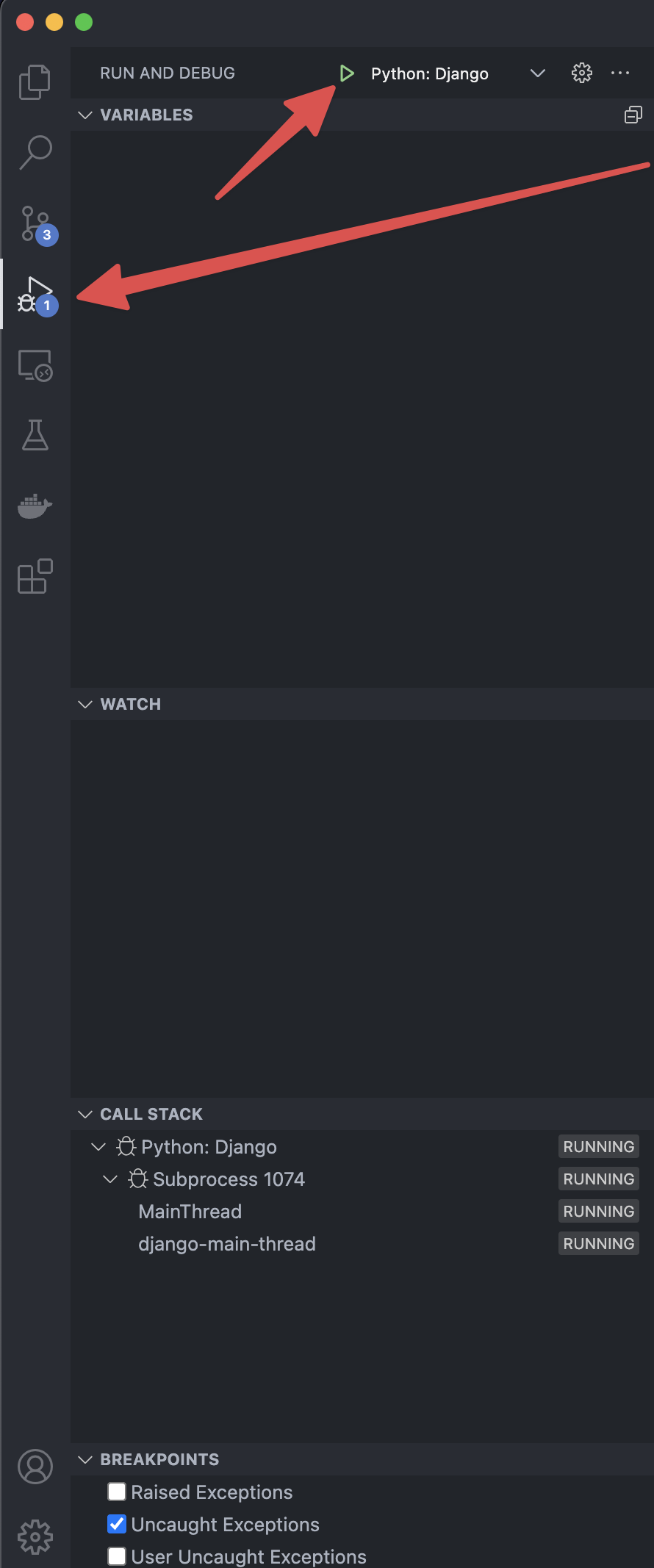
- You should have automatically forwarded ports, so the only thing remaining is opening browser window with the url provided in terminal.
Everything else (docker)
- Run
docker compose up. This will create a production-ready setup with gunicorn. out of the box.
Everything else (python)
- Get python3
pip install -r requirements.txtpython3 manage.py migratepython3 manage.py collectstaticpython3 manage.py runserver 0.0.0.0:8000
New docs (WIP)
Spejstore is a simple inventory system made for Warsaw Hackerspace purposes. Includes some features very specific to hswaw requirements, which are:
- Label printing and label-system support (via
django-rest-apiapi views andSPEJSTORE_LABEL_APIenv variable), using the spejstore-labelmaker software - Publically viewing all items and requiring users to sign in view oauth to manage inventory via
django-admin - Authorizing label printing via local network only, see
SPEJSTORE_LAN_ALLOWED_ADDRESS_SPACEenv variable
Currently inventory is deployed under inventory.waw.hackerspace.pl, with a Beyondspace NGINX configuration, which allows the inventory to be accessible from outside of the Warsaw Hackerspace network with a necessary oauth authorization, but does not allow printing of labels without physically being in the local network of HSWAW.